One File · Powerful food tracker
Plan the week.
Skip the 6pm panic.
A weekly meal planner in one HTML file. Plan dinners (and breakfasts and lunches if you want), build a per-aisle shopping list, and ship the 'what's for dinner' question before it ruins another Tuesday. Pairs with Recipe Box, but stands alone.
One payment · Yours forever · 14-day refund
- Works fully offline
- Installs as an app (PWA)
- No account, ever
- Yours, forever
Loads once, never needs the internet again. On a plane, in a basement, in a foreign hotel.
Every entry, every chart — stored locally. We never see it. We can't.
No subscription. No upgrades. No re-up next year. One file, yours.
Why plan
Why weekly meal planning is the highest-leverage 15 minutes of the week.
Decision fatigue at 6pm is a tax. Pay it once on Sunday instead.
Tonight at 6pm is the only banner that matters.
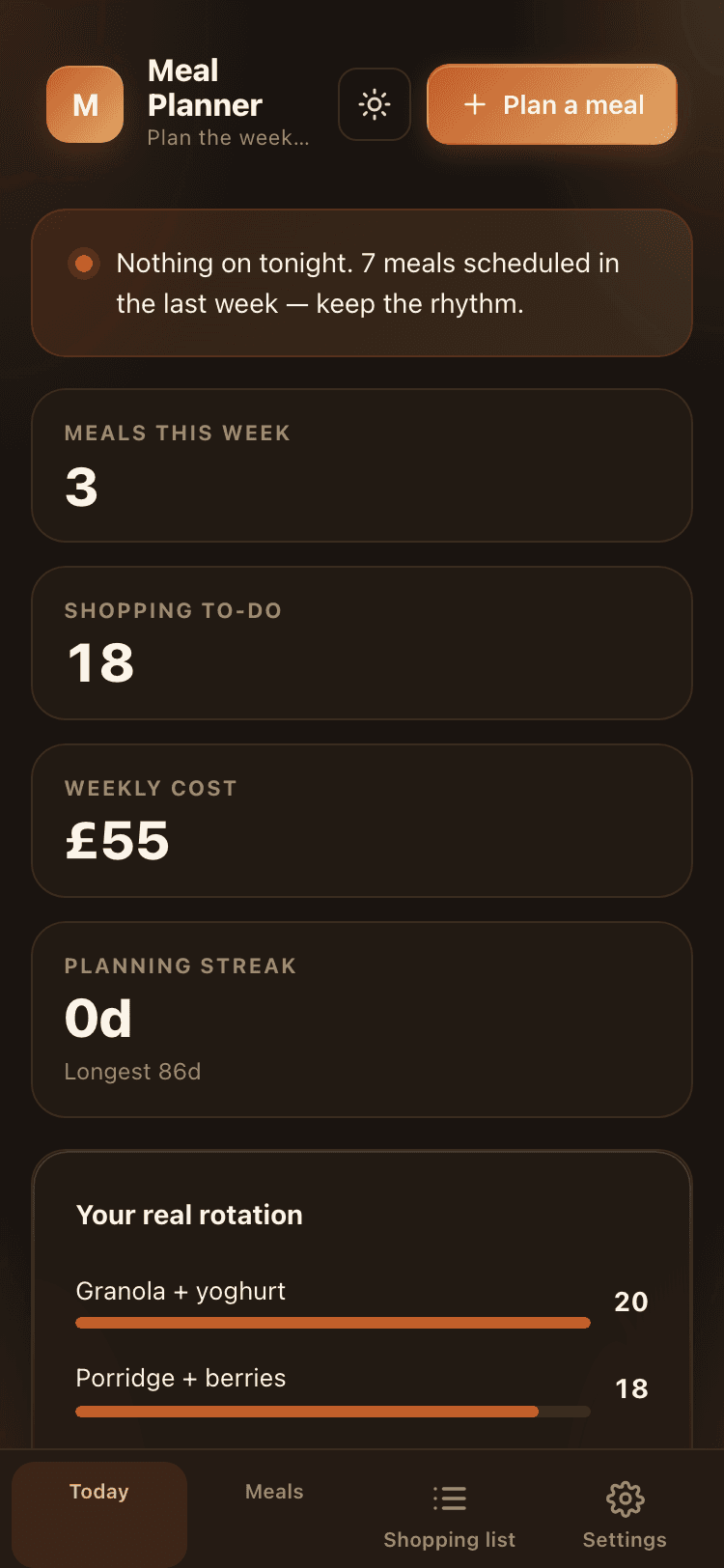
The dashboard pulls today's dinner from your plan and surfaces it as 'Tonight at 6pm: Lemon roast chicken · ~50m prep'. No more staring at the fridge.
Your real rotation is six meals.
Everyone thinks they cook 30 different meals. The most-planned top-list reveals the six you actually rotate. Embrace it; the planning gets easier.
Shopping by aisle, not by recipe.
Per-meal ingredients group by aisle on the shopping list. The supermarket route writes itself. No more pacing the produce section three times.
Weekly cost adds up to a number you can use.
After eight weeks you have an honest weekly grocery cost — by household, by tag, by aisle. The 'do we cook more this month' question becomes a number.
Mon-Sun, slots for breakfast / lunch / dinner / snack
across 9 aisles with cost + bought toggle
no recurring fee, ever
plan on the train, shop with no signal
Inside the file
Eight things you'll use every day. Plus a dozen more.
One file. One dashboard. Every feature you'd expect from a "real" app — without the cloud, the cookies, or the £8/month.
Quick add
Plan a meal from the home screen — three taps and back to your day.
Live insight banner
The single number that matters today, computed in real time from your entries.
Streak calendar
Daily streak across the last weeks. Showing up becomes the default.
Tier progression
Lifetime totals roll into satisfying tier badges as you log.
Shopping by aisle
Visual split across categories so the pattern becomes obvious without squinting.
Searchable, sortable list
Every entry findable in seconds — search across notes, sort by anything.
Free-form notes
A textarea per entry for the things that don't fit a field.
PNG share cards
One-tap share card of your stats, ready for Instagram or a group chat.
Offline, always
Loads once, runs forever without a network connection.
Installs as a PWA
Add to home screen — opens like any native app.
CSV in / CSV out
Bring your old data in. Take everything with you. No lock-in.
No account, ever
No email, no signup, no analytics, no third-party tracking.
Yours forever
If we vanish tomorrow, your tracker keeps working — local file, no server.
Light + dark
Auto-follows the system. Or pick one and stick with it.
Today
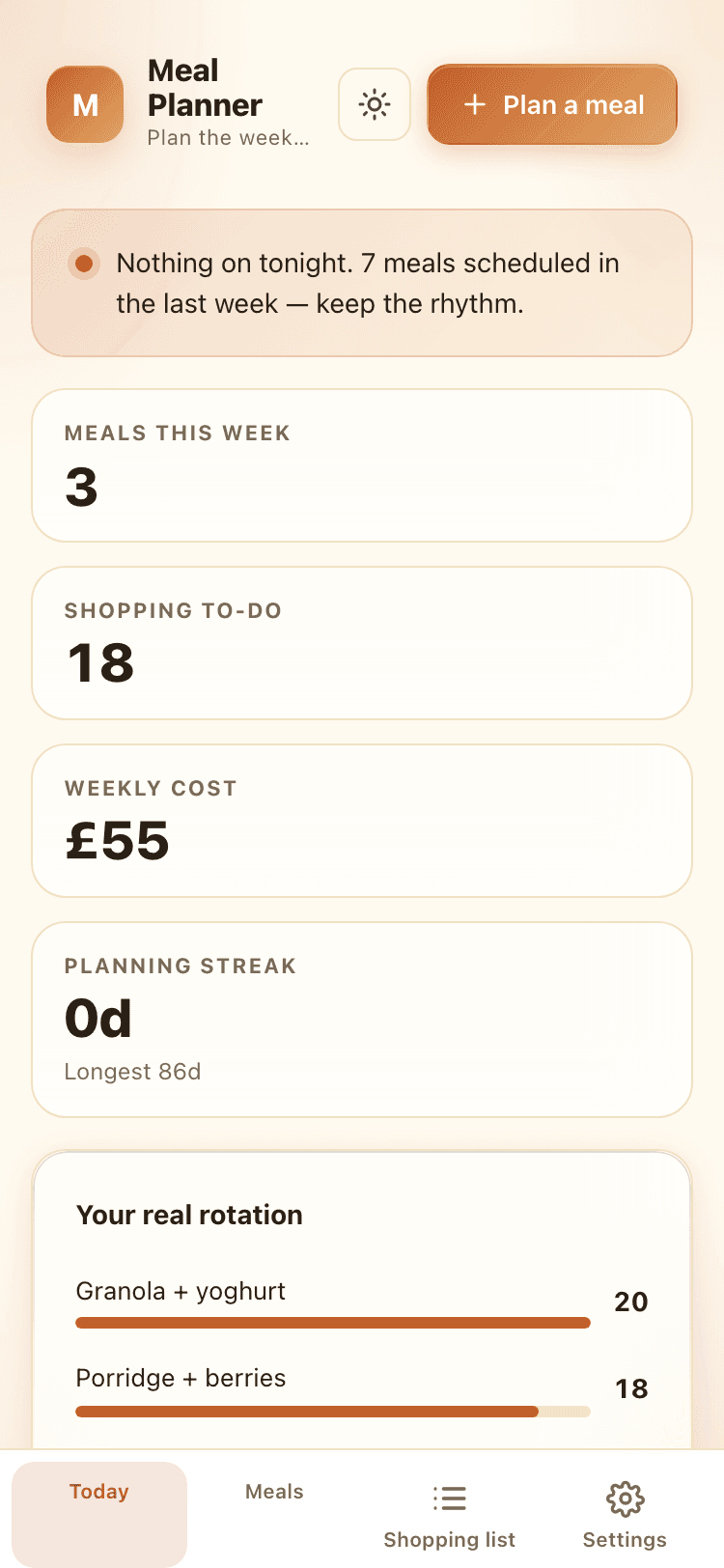
Today, at a glance.
The home screen pulls together what just happened and what's coming up — clean enough to actually look at every morning.
- Live insight banner — your unique angle, computed from your entries
- Four-tile stat grid surfacing the numbers that matter today
- Streak calendar showing the last weeks at a glance
- Quick-add button — log without leaving the home screen
- Recent entries on the dashboard so the last log is one tap away
Meals
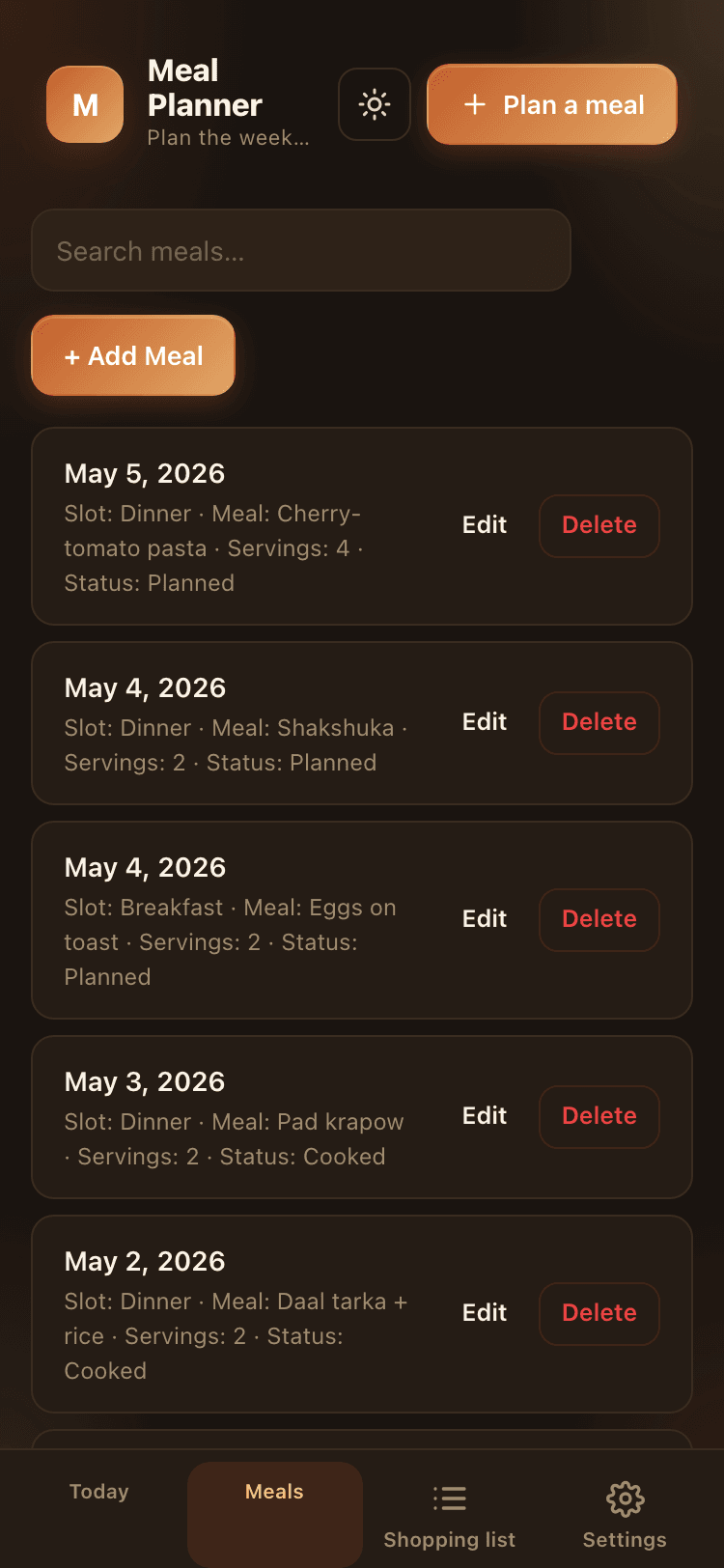
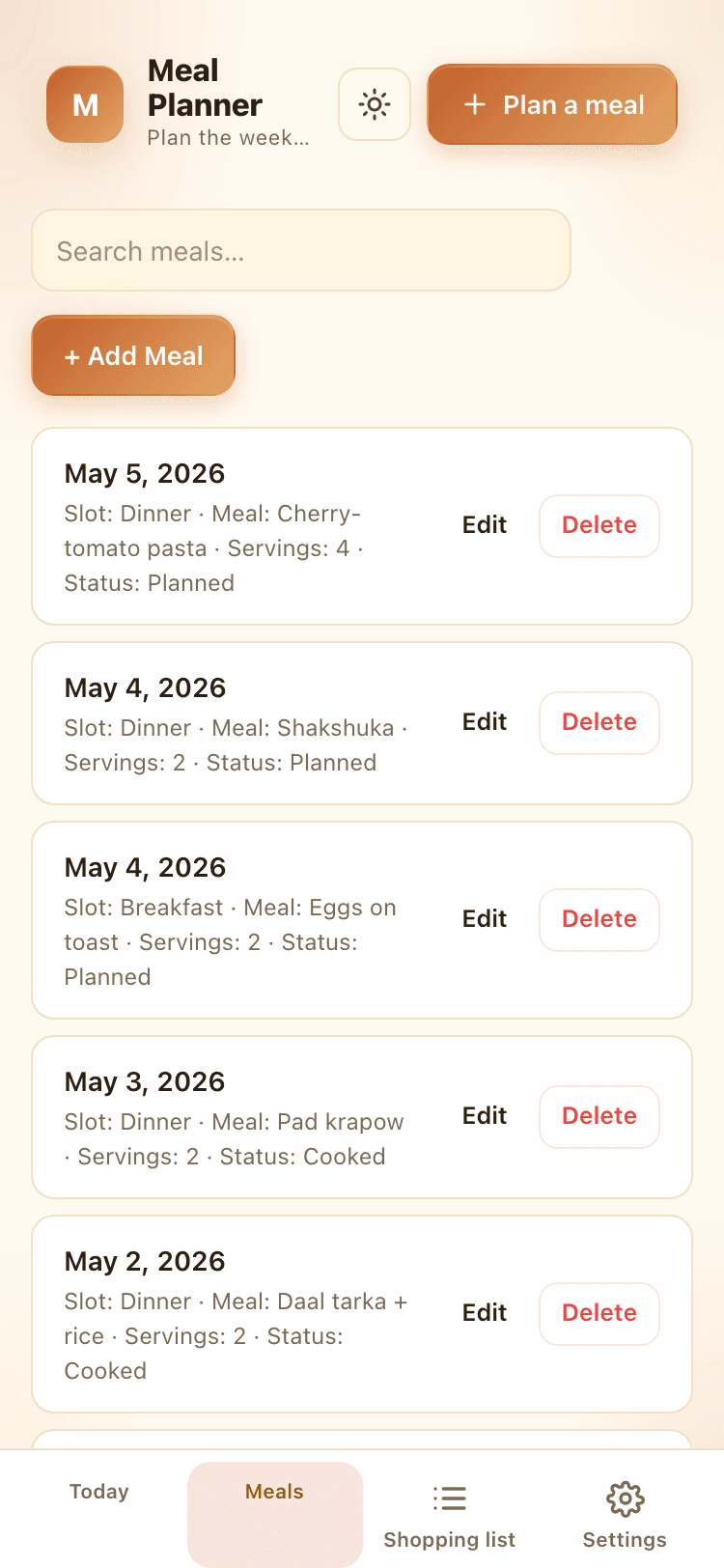
Every meal, in one place.
Date, slot, meal, servings per row. Sortable, searchable, groupable.
- Search across meal, notes
- Sorted by date (newest first)
- Group by date with one tap
- 9 fields per entry — the right amount of detail
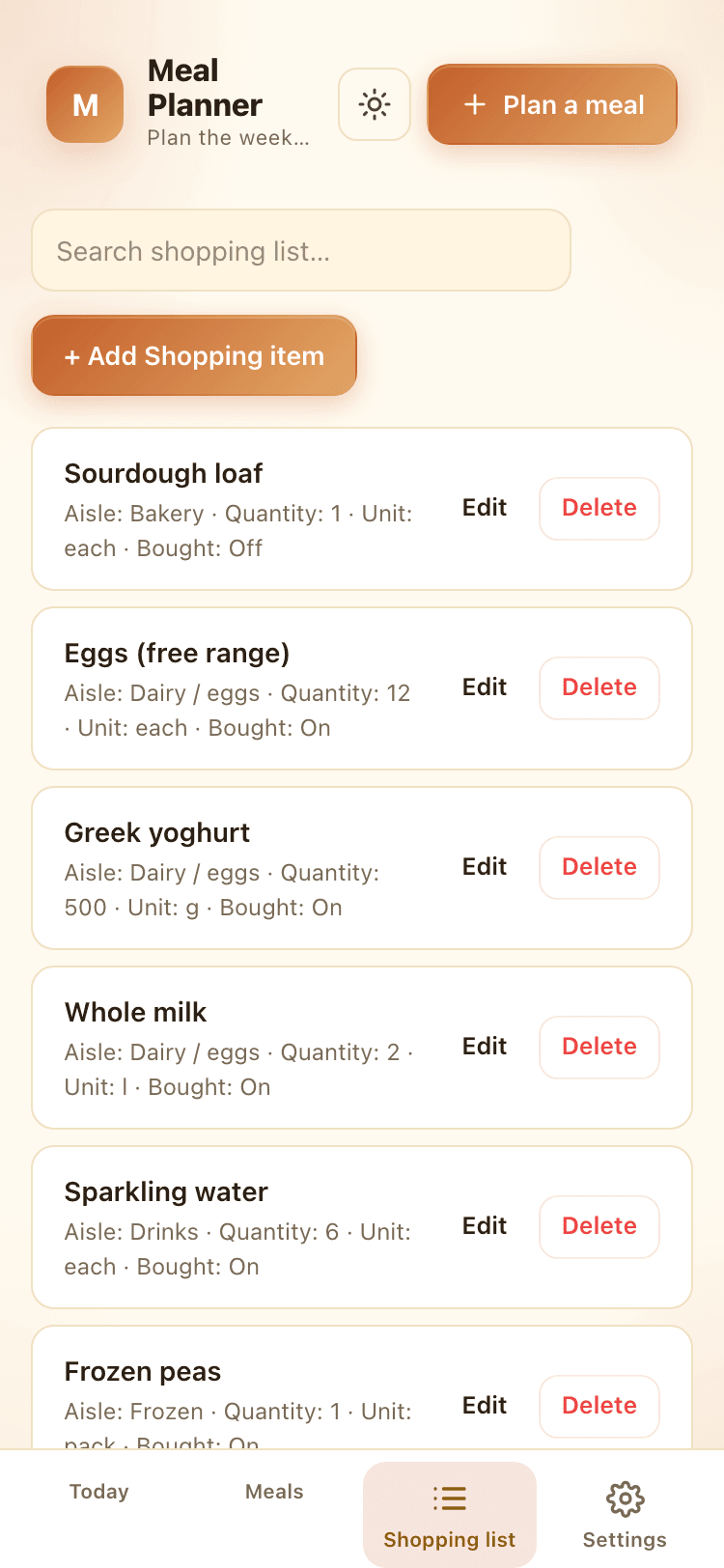
Shopping list
Every shopping item, in one place.
Item, aisle, quantity, unit per row. Sortable, searchable, groupable.
- Search across item, notes
- Sorted by aisle (A→Z)
- Group by aisle with one tap
- 9 fields per entry — the right amount of detail
How it's different
What you give up vs. meal-planning apps. Macro tracking you'll abandon by week 3.
Compared with subscription meal-planning platforms.
- Pricing modelPay once · $6.99£8 – £15 / month, forever
- Account requiredNoYes
- Auto shopping list by aisleYesYes
- 'Tonight at 6pm' bannerYesNo
- Most-planned rotation insightYesNo
- Pairs with Recipe BoxYesLocked to their recipe library
- Data stays on your deviceYesNo
- Brand-sponsored recipes pushed at youNoYes
The promise
Your meal plan is yours.
Not a content network's data.
Offline, always
Open it once, never need the internet again. The file holds the whole app.
Local-first storage
Every entry stored in your browser, on your device. No server sync. No leaks. Nothing to breach.
One payment, forever
No subscription, no upgrade tier, no nag. If we shut down OneFileClub tomorrow, your file keeps working.
Every view, light and dark.
A look at every screen across both themes — your tracker, populated.
Questions
Real answers, no fine print.
Does it integrate with my supermarket?+
No, on purpose. Supermarket integrations are how meal-planning apps end up advertising to you. The shopping list is yours to use however you like — print it, screenshot it, mark items off as you go. The list is grouped by aisle so the supermarket route writes itself.
Can I plan more than dinners?+
Yes. Each meal has a slot — breakfast, lunch, dinner, or snack. Plan as many or as few as you want. Most users start with dinners and add lunches once the rotation is settled.
Does it work with Recipe Box?+
Yes — set the source field to 'Recipe Box' on a meal so you remember where the recipe lives. There's no formal sync (each tool is a separate file by design), but the workflow is natural: plan in Meal Planner, cook from Recipe Box.
Where is my data stored?+
Locally, in your browser, on your device. Nothing is sent to OneFileClub or anyone else — there is no account, no cloud sync, no analytics.
Does it work offline?+
Yes. Once your personalised copy loads the first time, the entire tracker runs from a single HTML file. Airplane mode is fine.
Does my data sync between phone and desktop?+
No automatic sync — that's the trade-off for being local-first and account-free. Everything stays on the device you logged it on. To use the same tracker on both phone and desktop, use the built-in JSON or CSV export on one device and import on the other when you want to bring them in step. Most users settle on one device as their primary.
What does 'personalised copy' mean?+
When you buy, OneFileClub stamps a private copy with your licence and deploys it to a unique URL just for you. You bookmark it, install it as an app, or save the file — and the file is yours, even if OneFileClub disappears tomorrow.
What is your refund policy?+
14 days, no questions asked. Email us, we'll process it and disable your private URL.
One payment.
Sundays sorted.
We'll personalise a copy and email you a private link. Bookmark it, install it as an app, plan the week from the sofa.
14-day refund · No subscription